Waivers, age minimums, and requirements on one item
Set what a customer must sign, provide, or meet — online or at pickup — before renting this specific item.
Where to find it
Fleet → open an item → Requirements tab
The Requirements tab controls what a customer has to do before they can rent this specific item — sign a waiver, meet an age minimum, or provide something else — and whether each requirement is checked online during checkout, at pickup, or both.
Where to find it
Fleet → open an item → Requirements tab (step 4 of 6).
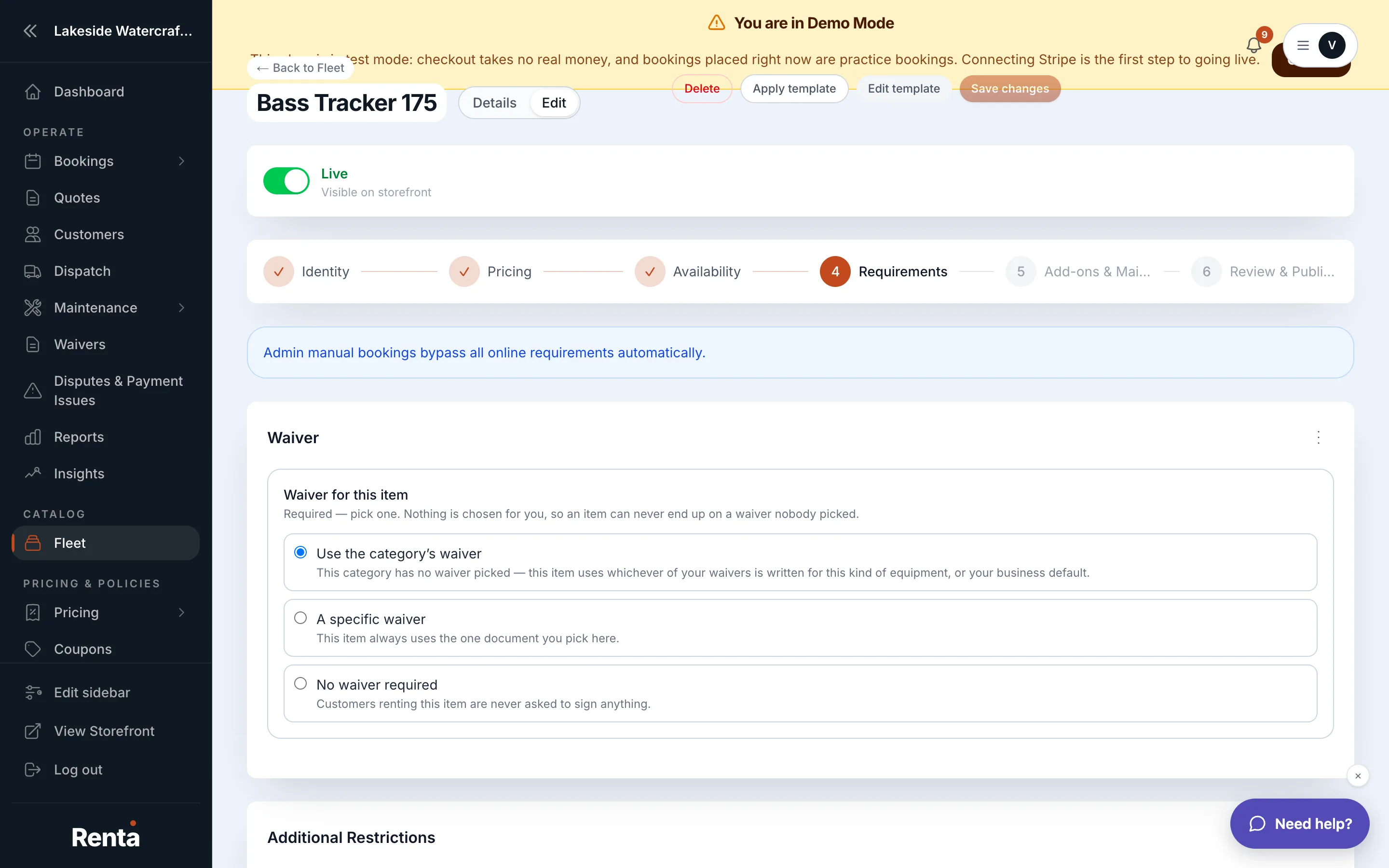 Requirement rows and the Signed Waiver dropdown
How it works
- Requirement rows — add a row for anything a customer must do or provide (e.g. "Signed Waiver," "Valid driver's license"). None by default. Each row has:
- Requirement Name — what's required.
- Description — help text shown to the customer.
- Online (Storefront) — whether it's required, optional, or hidden during checkout.
- At Pickup (In-Store) — whether it's required, optional, or hidden at check-in.
- Signed Waiver — choose which waiver template applies to this item: a specific template, "Inherit category default" (uses whatever waiver the item's category has set), or "None."
- Minimum Age — the youngest age a renter can be. Defaults to 18.
- Minimum Skill Level — Beginner, Intermediate, or Advanced. Not set by default.
Example
A jet ski item might require a "Signed Waiver" (required online, required at pickup) and set Minimum Age to 21, while a paddleboard for beginners might have no age minimum and a Minimum Skill Level of "Beginner" just as guidance, without blocking checkout.
Good to know
- "Inherit category default" only works if the item's category has a Default Waiver Template set — see Organizing items into categories.
- These requirements are about what the customer agrees to or provides. A pre-rental staff checklist is a separate setting — see Requiring an inspection before a rental goes out.
Related
Still stuck? Ask the chat.