What is a buffer window? (Buffer Between Rentals)
The gap Renta enforces after a rental returns before the same item can go out again, for cleaning or resetting.
Where to find it
Fleet → open an item → Availability tab
A buffer window is the amount of time Renta blocks an item from being booked again right after it's returned. It gives you time to clean, refuel, or inspect equipment before the next renter picks it up, without you having to manually mark the item unavailable.
Where to find it
Fleet → open an item → Availability tab (step 3 of 6). Look for Buffer Between Rentals.
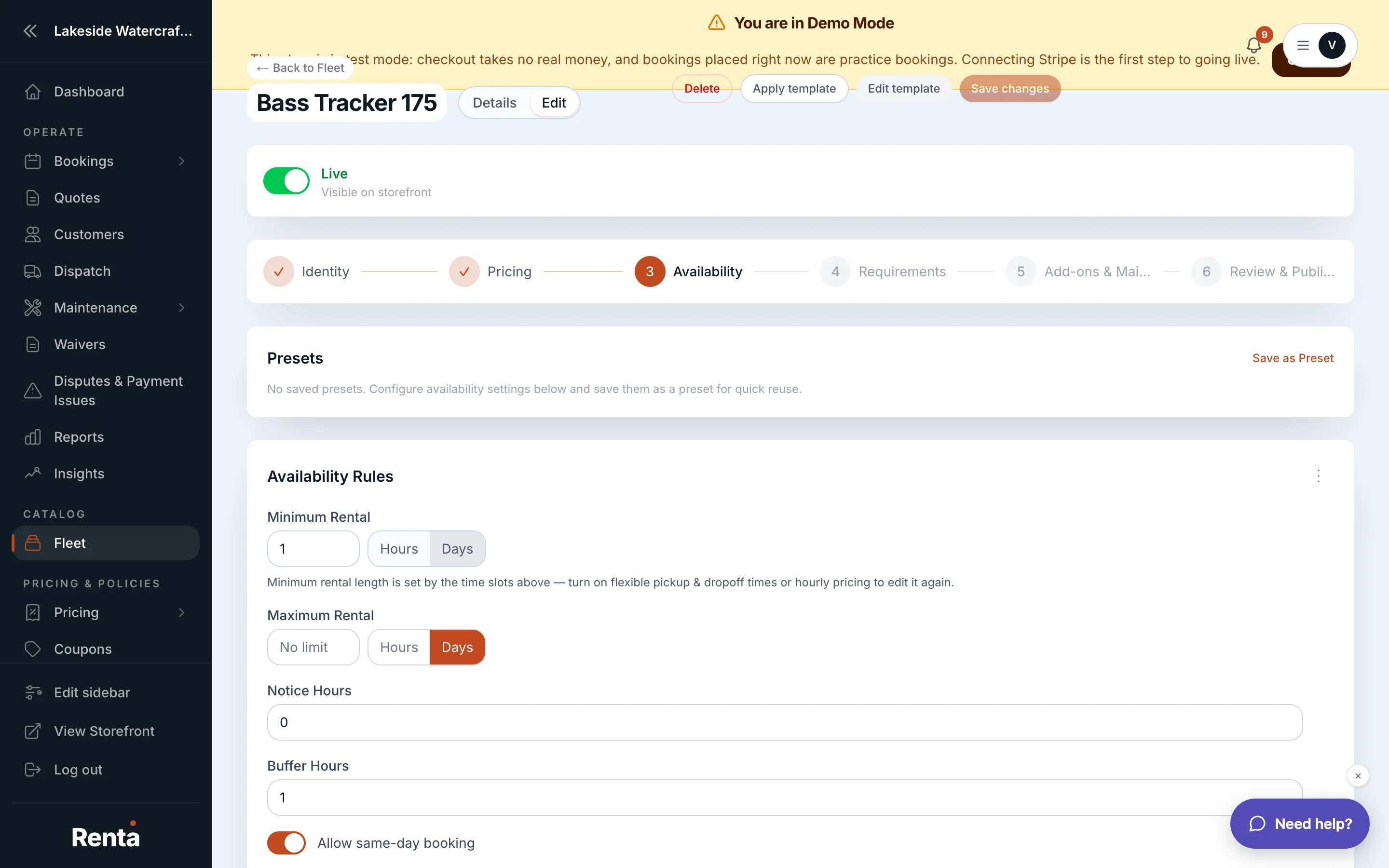 Buffer Between Rentals, Advance Notice, and Same-Day Booking on the Availability tab
How it works
- Buffer Between Rentals — hours blocked after a booking's return time before the item can be booked again. Defaults to 2 hours on a new item. Whole numbers, 0 or more.
- Minimum Rental Duration — the shortest booking allowed for this item. Defaults to 1 day (or 1 hour, depending on how you set the unit).
- Maximum Rental Duration — the longest booking allowed; leave blank for no limit.
- Allow Same-Day Booking — whether a customer can book this item for the same day they're booking. Off by default.
- Advance Notice — how many hours before the rental start you need, to have time to confirm or prepare it. Defaults to 24 hours on a new item.
Example
If a jet ski returns at 2:00 PM and its Buffer Between Rentals is set to 1 hour, the next booking on that same jet ski can't start until 3:00 PM. Renta blocks that hour automatically — you don't need to update availability by hand.
Good to know
- Advance Notice and Same-Day Booking can cancel each other out. If Advance Notice is 24 hours or more, no same-day booking can ever meet that notice window, so leaving Same-Day Booking turned on does nothing in practice — customers will never actually be able to book today. If you want same-day bookings to work, lower Advance Notice below 24 hours. Renta's admin now shows a warning when it detects this combination on an item, because it has caused real items to look permanently sold out to same-day visitors.
- The buffer applies per item, not per unit — see Item variants: color, size, and other options if you track multiple physical units of the same item, since each unit gets its own buffer countdown from its own return.
- Buffer, Minimum/Maximum Rental Duration, and Advance Notice all live together in a template, so a category template can pre-fill sensible defaults for a whole group of items — see Reusable item templates.
Related
Still stuck? Ask the chat.