Emailing one customer directly
Send a one-off email to a customer from their profile, with a preview of exactly what will be delivered.
Where to find it
Customers → open a customer → Send email
From any customer's profile, you can send them a one-off email — separate from the automated emails Renta sends around bookings.
Where to find it
Customers → open a customer → Send email
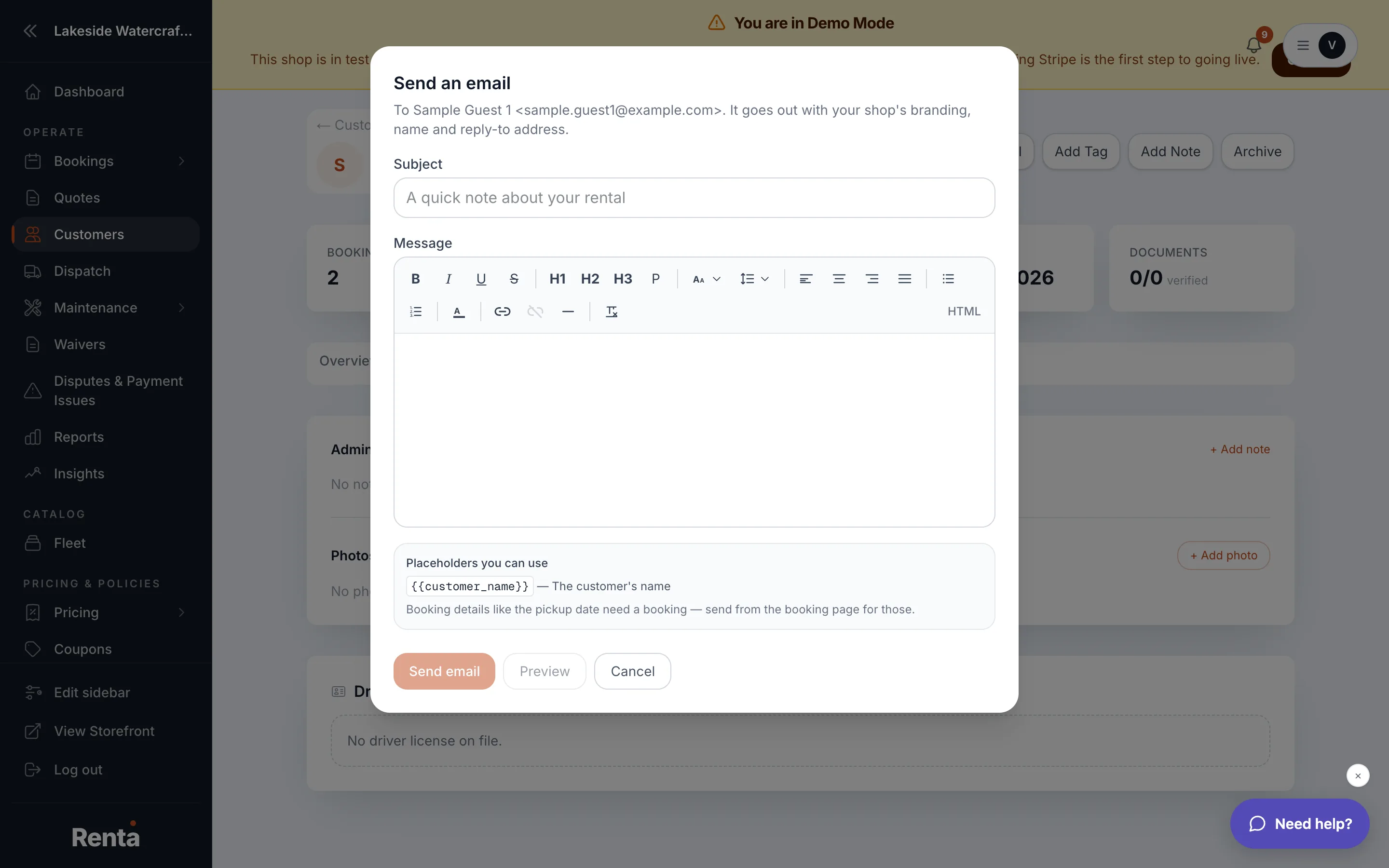 The Send an email window with subject, body, and preview
How it works
- Subject and Email body — write your message directly. It goes out with your business's own branding, name, and reply-to address.
- Preview — shows exactly what the customer will receive before you send it. If you keep editing after previewing, the preview clears so you can't accidentally send something you never actually looked at.
- Send email — dispatches the message. It's disabled if the subject or body is empty.
Example
A customer asks a question through a phone call, and staff want a written follow-up. Instead of leaving Renta, they open the customer's profile, click Send email, and reply with the answer.
Good to know
If a customer has turned off booking emails, you'll see a warning that this message can't be sent to them, and the Send button is disabled. This is different from Sending a one-off email to a customer, which starts from the Communications inbox instead of a customer's own profile and can start from a saved template.
Related
Still stuck? Ask the chat.