The change log on a booking
A running, read-only history of every edit, refund, and status change made to one booking.
Where to find it
Bookings → open a booking → Payments & Documents tab → Change log
The change log is a timestamped history of everything that's happened to a booking — every status change, price edit, refund, and note. It's read-only, so it's a reliable record of what actually happened.
Where to find it
Bookings → open a booking → Payments & Documents tab → Change log section. Click it to expand or collapse the list.
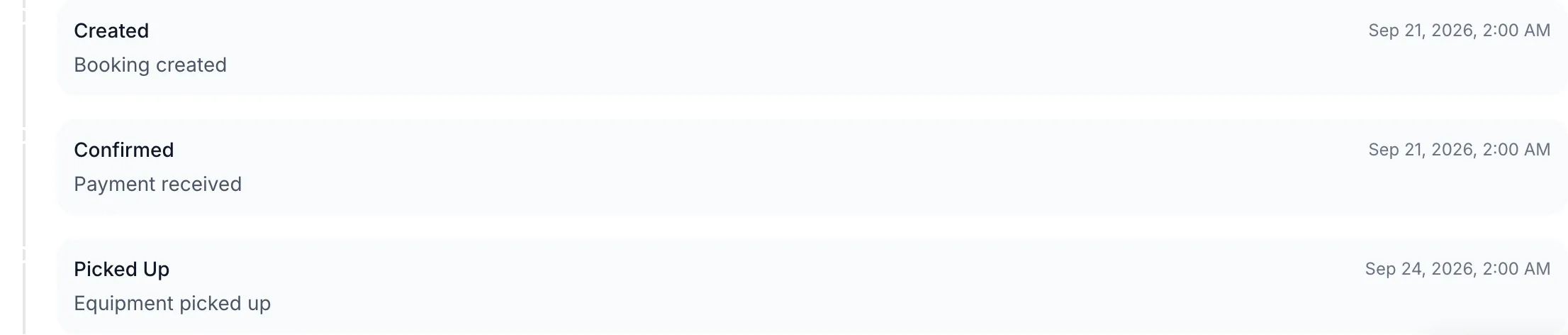 The change log on a booking's Payments & Documents tab
How it works
- Each entry shows what changed, when, and (where applicable) who made the change.
- The log covers status transitions, discounts, custom charges, refunds, reschedules, and notes — anything that alters the booking.
- You can't edit or delete entries; it's a permanent record.
Example
If a customer disputes a charge, open the change log to see exactly when a refund was processed and by whom, instead of relying on memory.
Good to know
- This is different from the business-wide Who changed what, and when, which covers every entity, not just one booking.
- The change log lives next to payment history and signed documents on the same tab.
Related
Still stuck? Ask the chat.