Payment history and signed documents on a booking
Where to find Stripe transactions, ledger entries, and signed waivers for one rental.
Where to find it
Bookings → open a booking → Payments & Documents tab
This tab is where all the money and paperwork for one booking live: every charge, refund, and deposit action, plus any waivers the customer signed.
Where to find it
Bookings → open a booking → Payments & Documents tab.
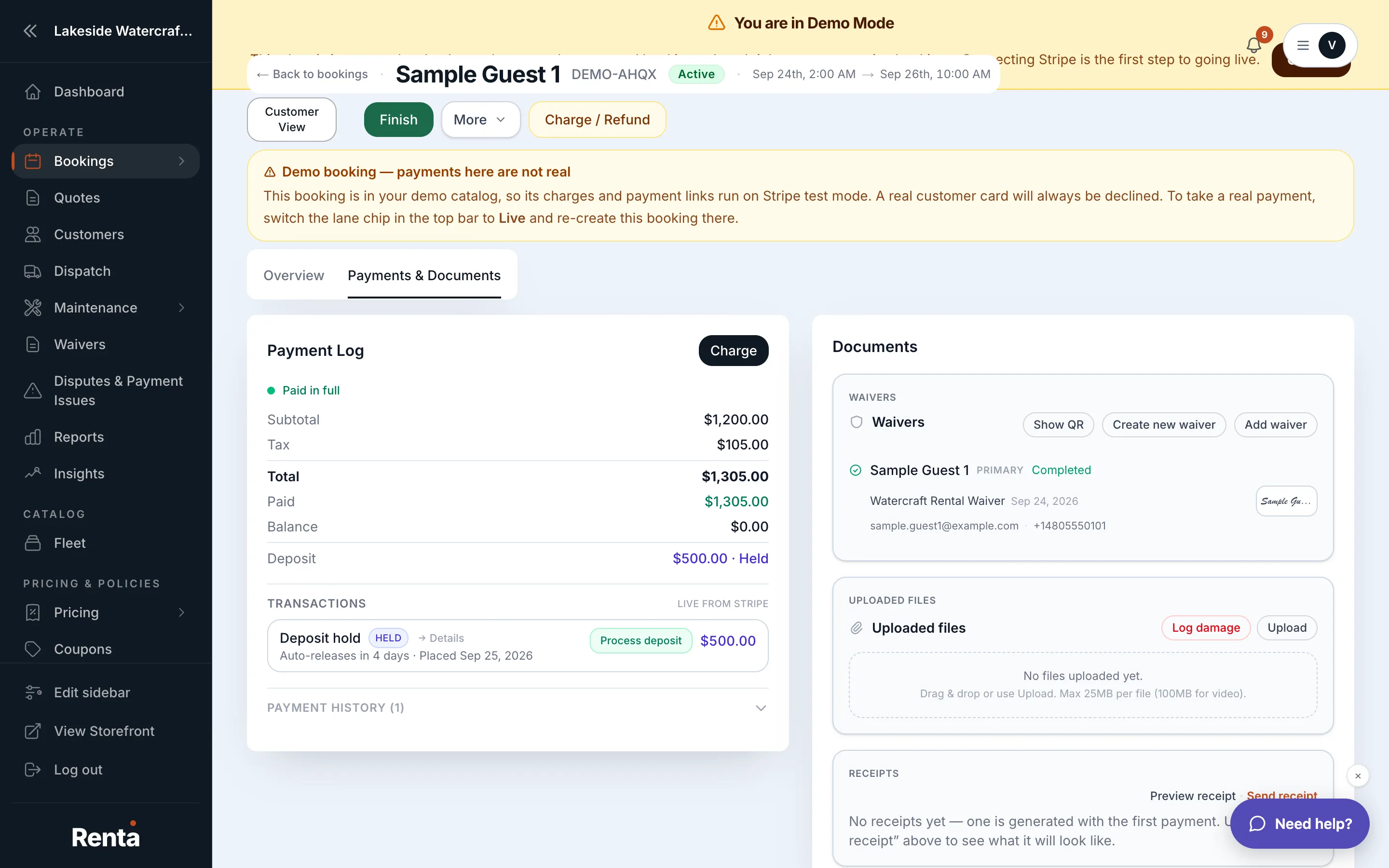 The Payments & Documents tab showing payment history and waivers
How it works
- Payment history — every payment processor (Stripe) transaction and internal ledger entry for this booking, with buttons to charge, refund, or release a deposit right from here.
- Waivers & documents — signed liability waivers, who signed them, which waiver templates are available to send, and a button to send a new waiver link.
- Change log — a collapsible history of every edit made to the booking, also on this tab.
Example
If a customer asks for proof they signed a waiver, open this tab instead of digging through email — the signed document and signer's name are right there.
Good to know
- This is also where you'd go to send a customer a waiver link if they haven't signed yet.
- The change log on this tab is read-only; the payment and document sections above it have action buttons.
Related
Still stuck? Ask the chat.