Fleet health and maintenance snapshot
The dashboard cards showing which rental items need maintenance and what your fleet is worth.
Where to find it
Dashboard → Fleet Health and Maintenance stat cards
These widgets tell you which of your rental items need attention and roughly what your whole fleet is worth.
Where to find it
Look for the fleet and maintenance cards among your dashboard's widgets.
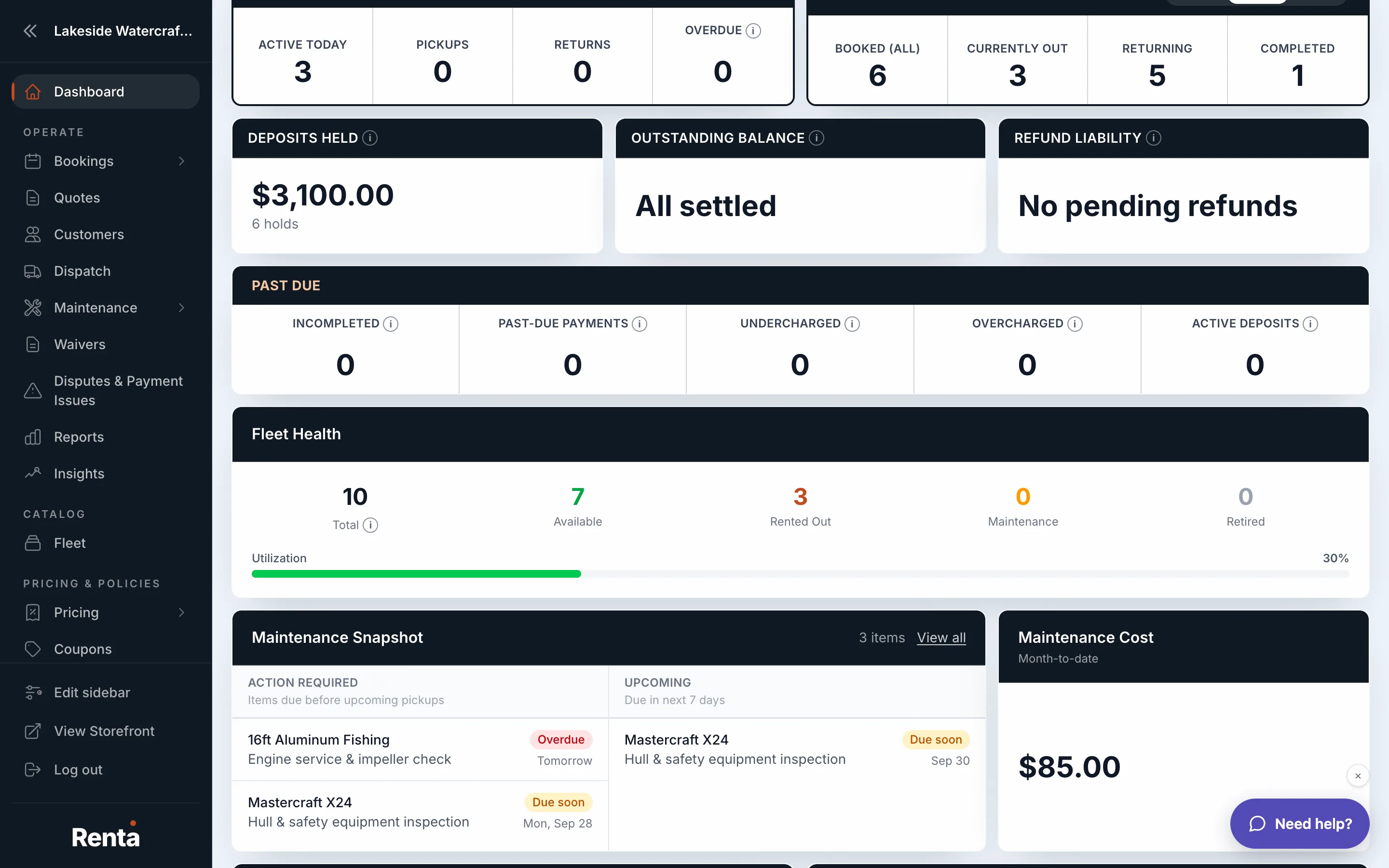 The Fleet Health stat card and Maintenance Snapshot list
How it works
- Fleet Health — a count of items that are overdue for maintenance, due soon, or fine, so you can spot trouble before it costs you a booking
- Maintenance Snapshot — a list of specific overdue or upcoming maintenance tasks, with the unit, the task, and when it's due
- Maintenance Cost — how much you've spent on maintenance this month
- Fleet Depreciation — an estimated current value of your fleet, based on how much value your items have lost over time
For example: if your dashboard shows 2 items "overdue" in Fleet Health, opening the Maintenance Snapshot tells you exactly which units and which tasks — like an oil change on a specific jet ski — need to happen before you book them out again.
Good to know
- These are summaries — the full maintenance tools (schedules, logs, and per-item history) live outside the dashboard in the Maintenance section.
- For a monthly, reportable version of maintenance spend and fleet utilization, see How hard your fleet is working.
Related
Still stuck? Ask the chat.