What's on your dashboard
The at-a-glance widgets showing today's rentals, deliveries, activity, and fleet health when you open Renta.
Where to find it
Dashboard (the page you land on after logging in)
Your dashboard is the first thing you see when you log in — a real-time snapshot of what's happening in your business today: which rentals are due, what's being delivered, and how your fleet is doing.
Where to find it
It's the page you land on after logging in, or reachable any time from the sidebar.
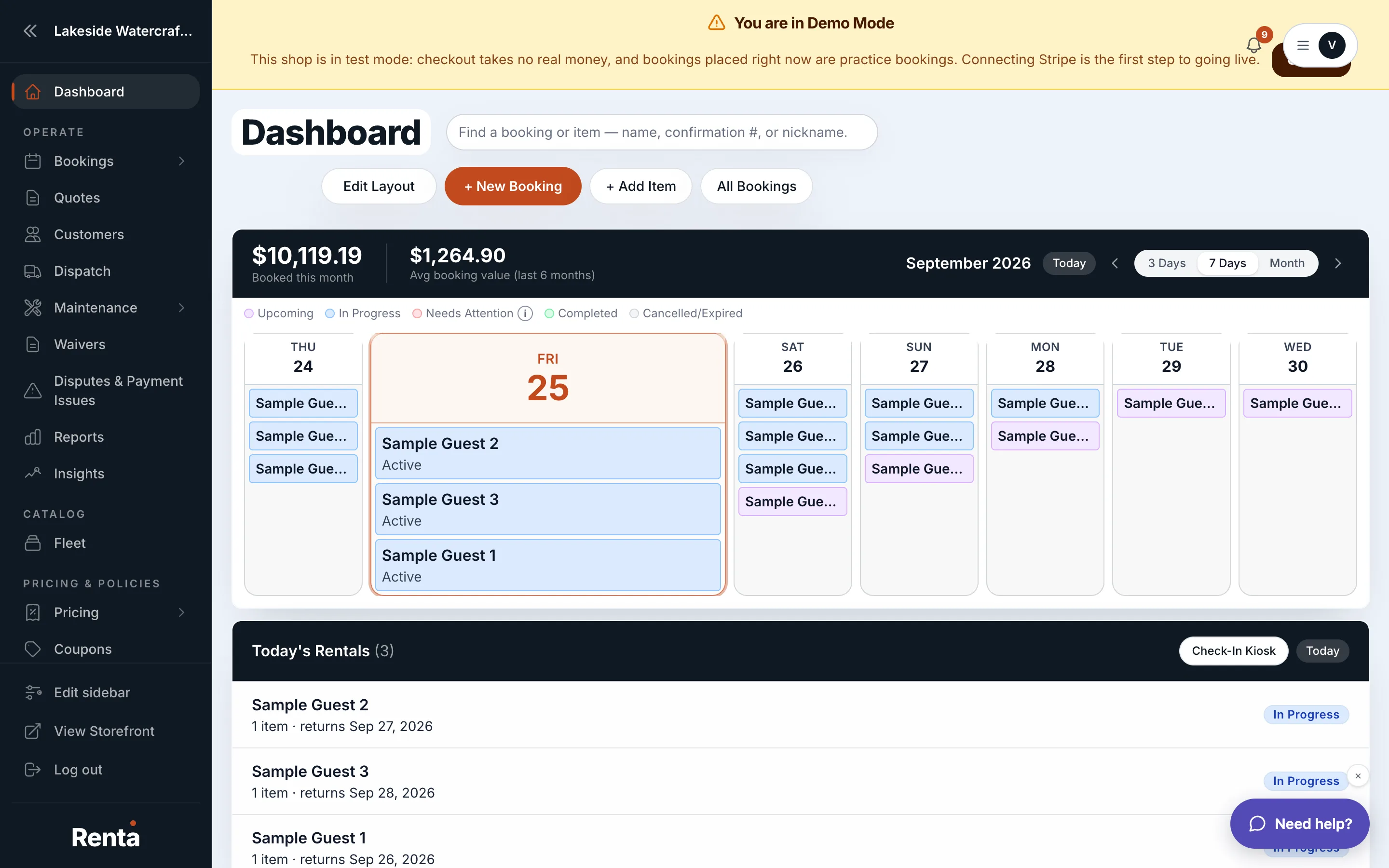 The main dashboard with Today's Rentals, Deliveries Today, and the Booking Statuses chart
How it works
The main operational widgets on your dashboard include:
- RideDog Tracker — shows the connection status of RideDog, a GPS-tracking integration for your fleet, if you use it
- Availability Calendar — a timeline view of your fleet's bookings, so you can see what's booked and what's free at a glance
- Today's Rentals — bookings with a pickup or return happening today, with status and customer name
- Deliveries Today — any deliveries or drop-offs scheduled for today, with driver and address
- Today Activity — a live feed of recent changes: status updates, refunds, notes added
- Booking Statuses — a pie chart of how many bookings are pending, confirmed, active, completed, or cancelled
For example: if you run a jet ski rental shop, checking your dashboard each morning tells you at a glance how many skis go out today, whether any deliveries are scheduled, and whether anything needs your attention before customers arrive.
Good to know
- Which widgets you see, and in what order, is fully up to you — see Rearranging or hiding dashboard widgets.
- Money-related widgets (deposits, balances, refund risk) live on the same dashboard but are covered separately in Deposits, balances, and refund exposure at a glance.
- Fleet health and maintenance widgets are covered in Fleet health and maintenance snapshot, and revenue/traffic widgets in Revenue trend, traffic, and popular items.
Related
Still stuck? Ask the chat.