Staff activity log
A record of who logged in and what they did, visible to owners and managers.
Where to find it
Reports → Staff Performance tab (owners and managers only)
The Staff Performance tab shows a log of what your team has been doing in Renta — logins and actions per staff member — so owners and managers can see activity across the account.
Where to find it
Go to Reports, then the Staff Performance tab. This is only visible to owners and managers.
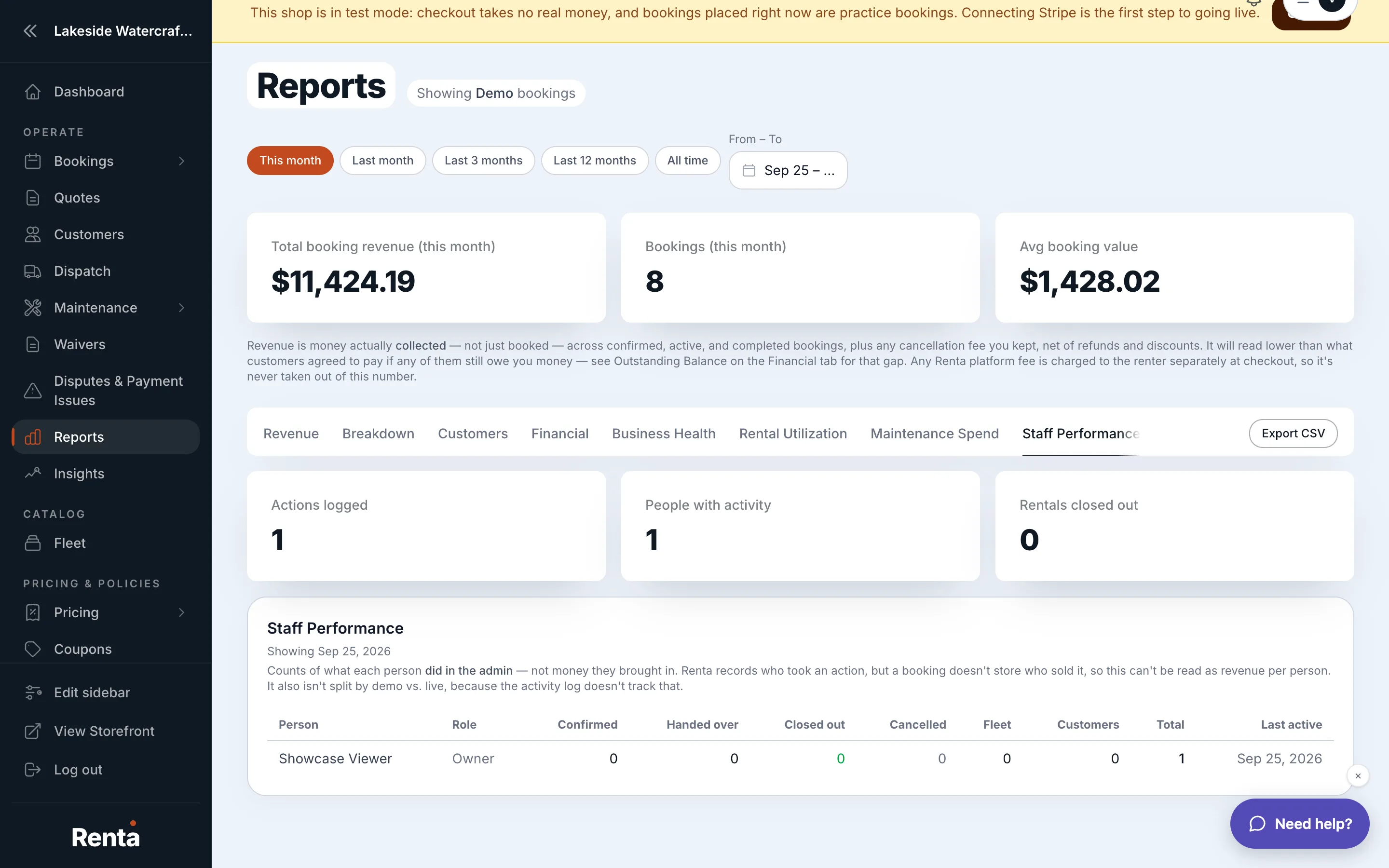 The Staff Performance tab's activity table
How it works
The table lists each staff member alongside their last login and how many actions they've taken.
For example: if a staff member's account shows no logins for two weeks, that might just mean they're on vacation — or it might mean they need a reminder about an upcoming task.
Good to know
- For a detailed, filterable record of every individual action (not just counts), see Who changed what, and when.
Related
Still stuck? Ask the chat.