Booking outcomes and month-over-month KPIs
How many bookings finished, cancelled, or no-showed, and how this month's key numbers compare to last month.
Where to find it
Reports → Outcome tab
The Outcome tab tells you what actually happened to the bookings you took: how many were completed, cancelled, or never showed up, plus how this month compares to last.
Where to find it
Go to Reports, then the Outcome tab.
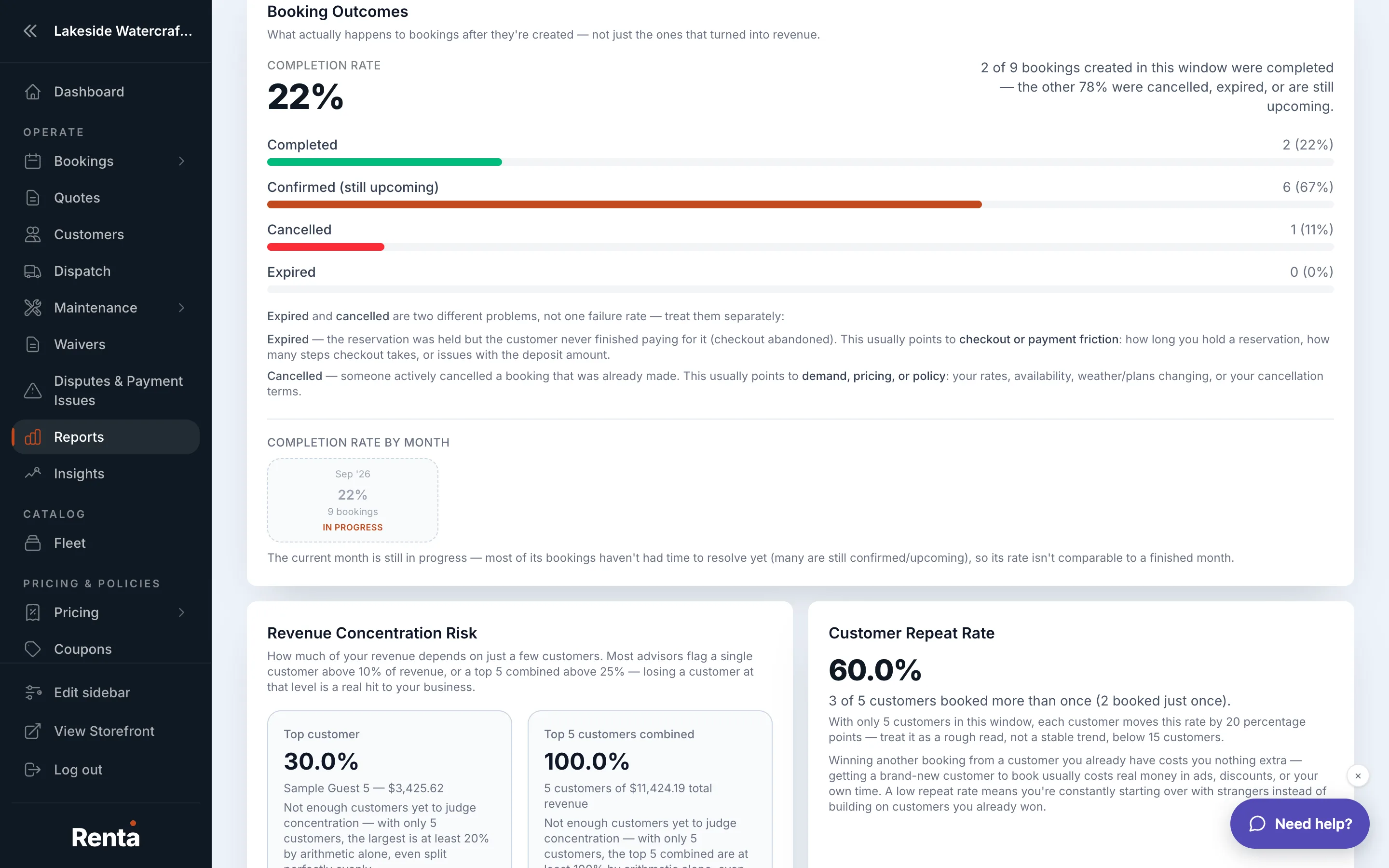 The Outcome tab's Booking Outcomes table and month-over-month KPI cards
How it works
- Booking Outcomes — a table breaking bookings down by what happened to them (completed, cancelled, no-show) and the revenue impact of each
- Repeat Customer Rate — the percentage of your customers who have booked with you two or more times
- Month-over-month KPIs — cards comparing this month's key numbers (revenue, number of bookings, new customers) against last month's
For example: if your no-show rate is unusually high one month, that's worth investigating — it might mean your reminder emails aren't reaching customers, or your cancellation policy needs a stricter deadline.
Good to know
- Repeat Customer Rate is a good early signal of customer satisfaction — a rising number usually means people are having a good enough experience to come back.
Related
Still stuck? Ask the chat.