Changing a booking's dates
Move a booking's pickup or return date, preview the new price, and choose what happens to its deposit hold.
Where to find it
Bookings → open a booking → Actions menu (More) → Reschedule
Rescheduling lets you move a booking to new pickup and return dates without cancelling it and starting over. Renta recalculates the price for the new dates before you confirm.
Where to find it
Bookings → open a booking → Actions (More) menu → Reschedule.
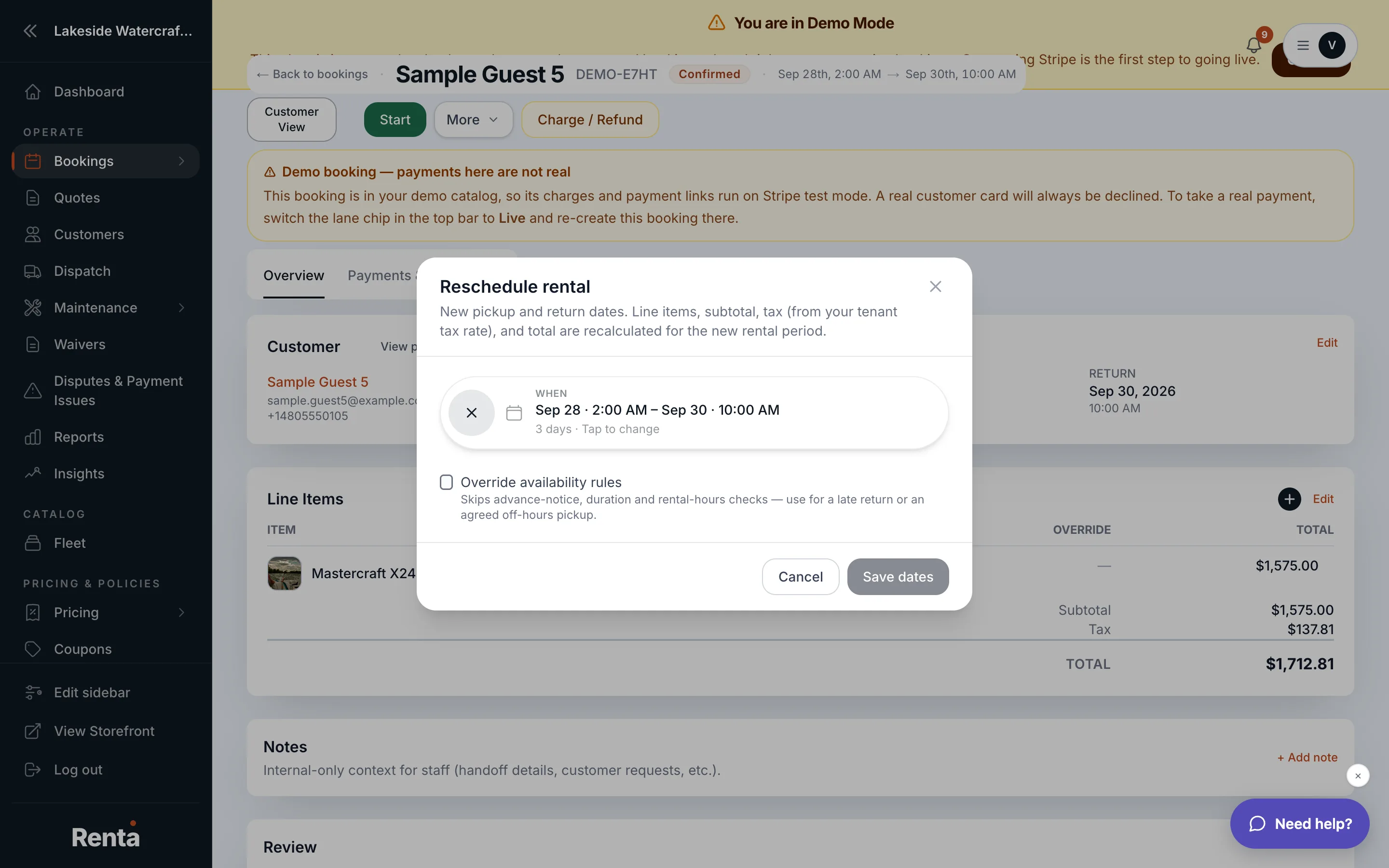 The Reschedule rental modal with new dates and pricing preview
How it works
- Pickup date & time and Return date & time — pick new values with the date pickers. Dates that are already blocked by another booking show a tooltip explaining why they're unavailable.
- Preview pricing — shows the new total before you commit, so you can see if the customer owes more or less.
- The Reschedule option only appears if the booking isn't already finished or cancelled, and if the item is actually available on the new dates.
Example
A customer asks to push their weekend jet ski rental back by two days because of weather. Open Reschedule, pick the new dates, check the price preview, and confirm — the booking updates without you needing to cancel and recreate it.
Good to know
- Rescheduling changes price the same way editing the rental period on the Overview tab does.
- Rescheduling doesn't touch an existing deposit hold — see Releasing vs. capturing a deposit hold if you need to change that separately.
Related
Still stuck? Ask the chat.