Installing Google Analytics or Tag Manager
Connect your own Google Analytics 4 property, Google Tag Manager container, or Google Ads conversion tracking to your storefront.
Where to find it
Settings → Analytics
If you already use Google Analytics or Google Tag Manager for your business, you can connect your own account so it tracks visitors on your Renta storefront too.
Where to find it
Settings → Analytics.
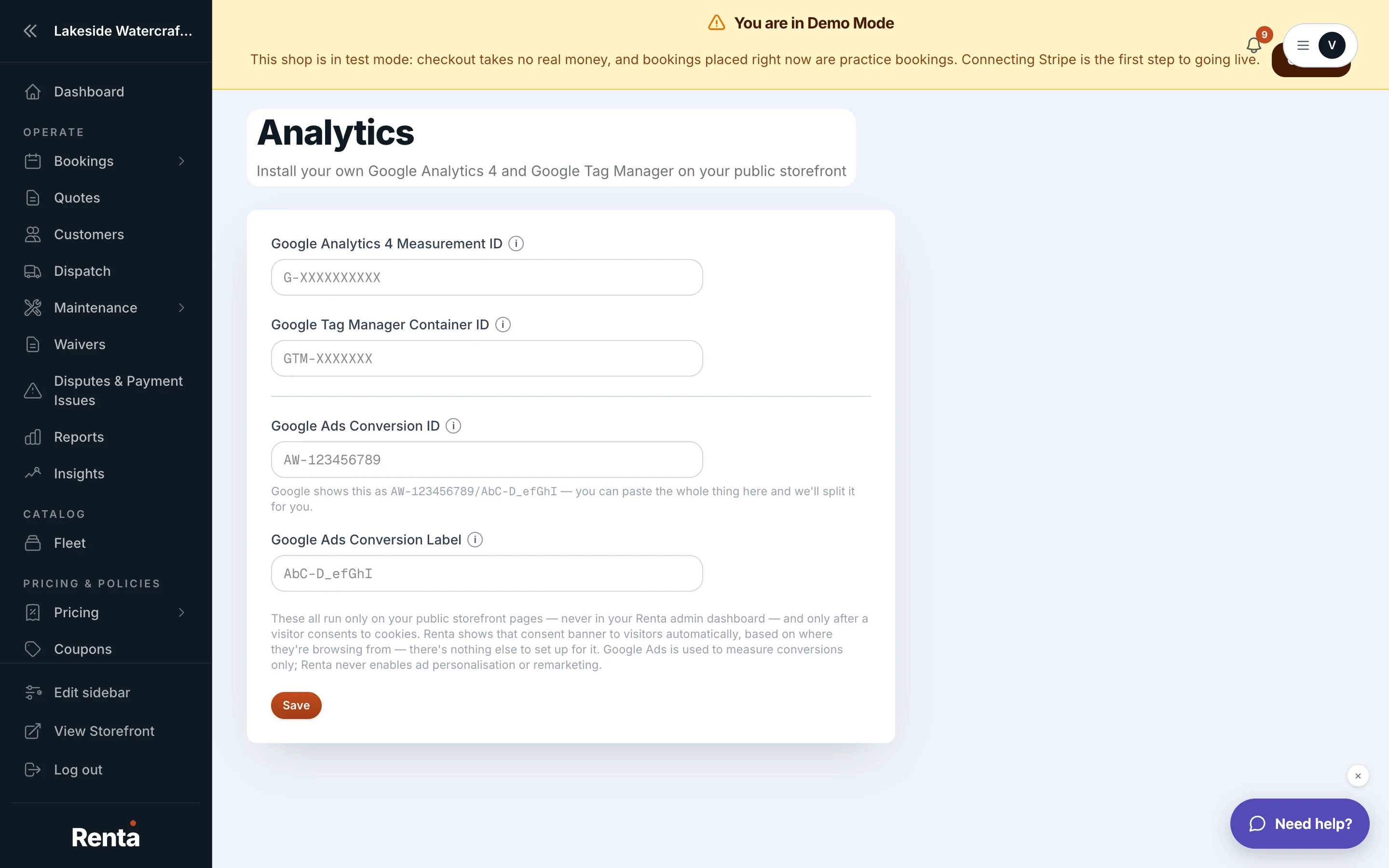 The Analytics settings page with the GA4 Measurement ID and Google Tag Manager fields
How it works
- Google Analytics 4 Measurement ID: your GA4 property ID, formatted like "G-XXXXXXXXXX."
- Google Tag Manager Container ID: your GTM container, formatted like "GTM-XXXXXXX."
- Google Ads Conversion ID: lets Google Ads see which ad clicks turned into real bookings, so it can report cost-per-booking and bid toward revenue instead of clicks. Find it in Google Ads under Goals → Conversions → your conversion action → Tag setup.
- Google Ads Conversion Label: goes alongside the Conversion ID — until both are set, your ads are tracked but conversions won't be attributed correctly.
Example
If your business already tracks its old website with Google Analytics, you'd copy that property's Measurement ID (starting with "G-") into this field so the same account also tracks your Renta storefront.
Good to know
- Leave any of these fields blank to skip that particular integration — none are required.
- Setting the Conversion ID without the Conversion Label leaves your ad tracking incomplete, so add both together.
Related
Still stuck? Ask the chat.