Tracking one physical unit's condition and history
A single unit's location, purchase price, meter readings, maintenance status, and every booking it's had.
Where to find it
Fleet → open an item → Details → a unit
If an item is tracked as individual units, each physical unit gets its own page showing its identity, current location, maintenance status, and complete rental history — everything about that one piece of equipment.
Where to find it
Fleet → open an item → open a specific unit. (If an item has only one unit, opening the item goes straight here.)
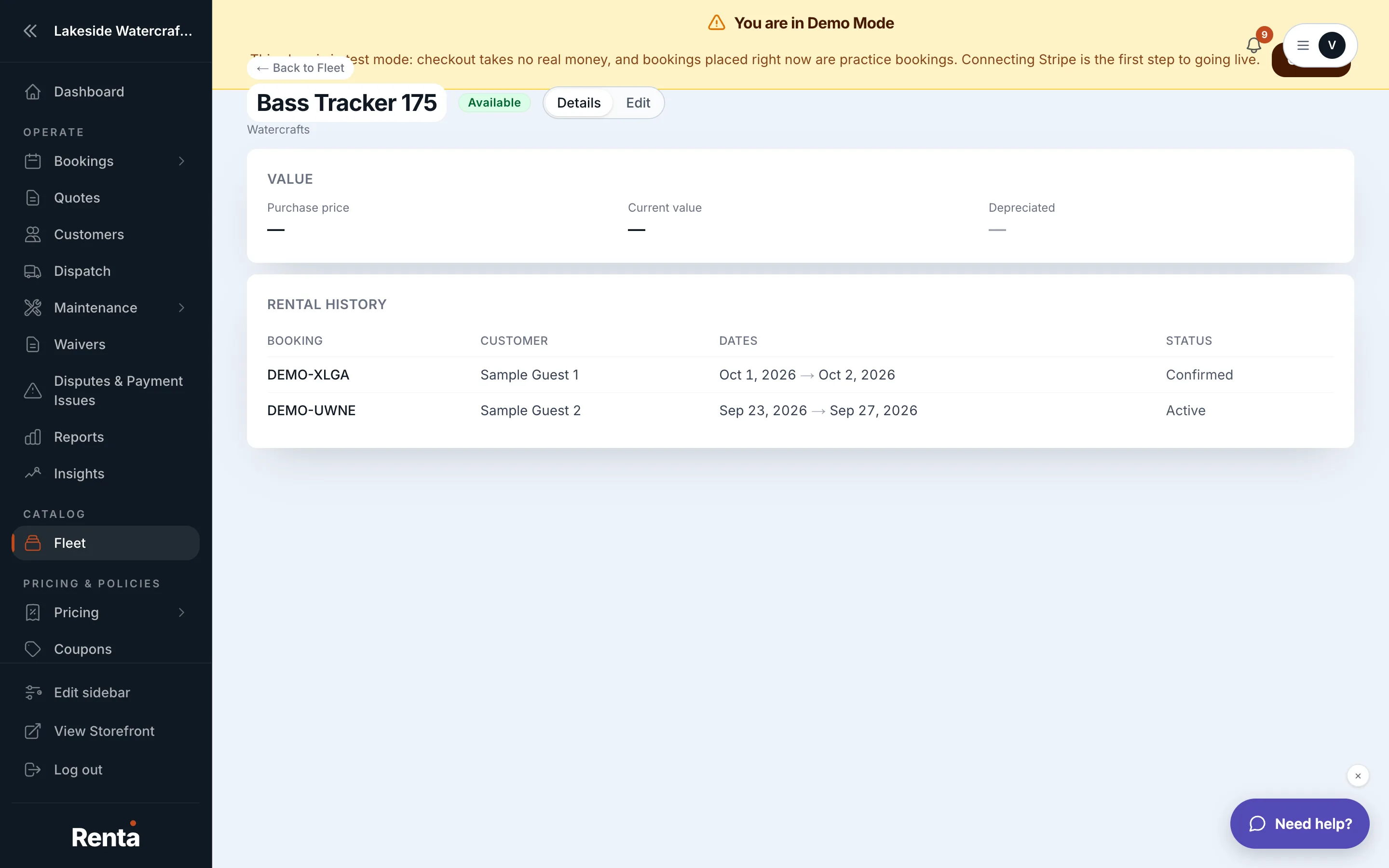 A unit's identity, location, and rental history
How it works
- Unit Identity Card — the unit's nickname (e.g. "Jet Ski #2"), a read-only sequence number, an editable Asset Tag (used for QR scanning), a Serial Number, and its current status (Available, In Maintenance, or Retired).
- Unit Location Card — where the unit is currently stored, with a full transfer history and a "Move Unit" button that records a new location plus optional notes.
- Maintenance Status — service tasks due, overdue, or upcoming for this unit, with a red "Overdue" badge if anything's past due.
- Rental History — every booking this unit has ever been assigned to, with dates, status, and price, plus two summary numbers: Total Rentals and Utilization % (days rented divided by days the unit has existed).
Example
If "Jet Ski #2" has gone out on 40 bookings averaging 3 days each since you added it 200 days ago, its Utilization % reflects how many of those 200 days it was actually earning rental income.
Good to know
- Asset value and depreciation for this unit live in their own section — see How a unit's value depreciates over time.
- Damage and pre-rental photos for this unit are covered in Damage reports and checkout photos on a unit.
- This page only exists for items tracked in Individual mode — see Item variants: color, size, and other options.
Related
Still stuck? Ask the chat.