Fixing SEO problems Renta finds on your site
A punch-list of missing titles, descriptions, alt text, and structured data that could be hurting your search ranking.
Where to find it
Insights → Traffic tab → SEO advisor section
The SEO advisor is a checklist of specific problems on your website that could be hurting how well you rank in Google search — with a direct link to fix each one.
Where to find it
Go to Insights, then the Traffic tab. The SEO advisor section appears near the top.
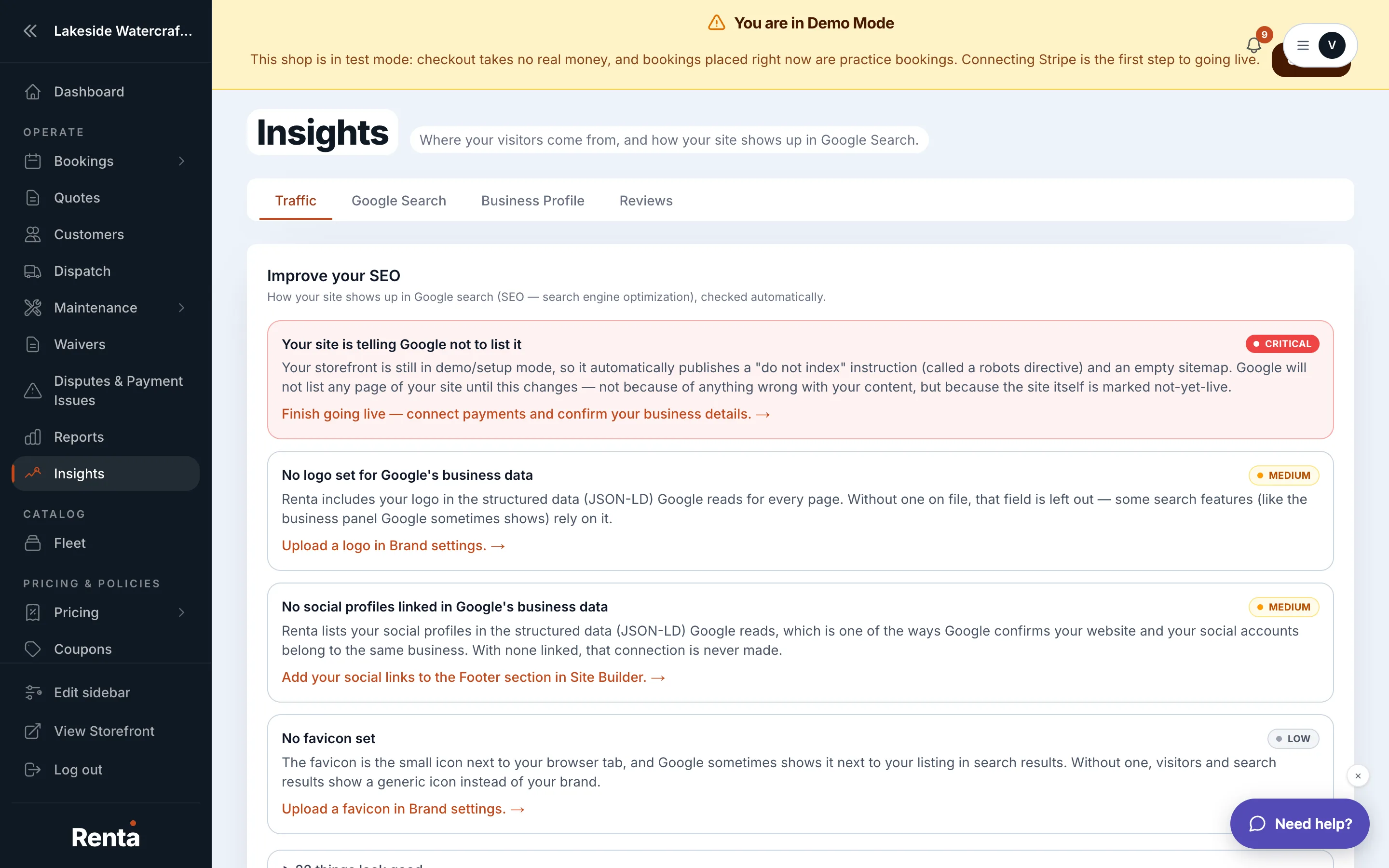 The SEO advisor section's findings list, on the Traffic tab
How it works
Each finding names one issue and links straight to the fix. Common findings include:
- Missing page title — a page has no title tag, which is usually what shows as the blue clickable link in Google search results
- Missing meta description — a page has no short summary text, which usually shows under the title in search results
- Missing structured data — a page is missing schema.org markup, a behind-the-scenes format that helps Google understand what your page is about (like showing star ratings or prices directly in search results)
- Image missing alt text — an image has no written description, which matters both for accessibility and for image search
- Page not indexed — Google hasn't added the page to its search results at all yet
For example: fixing a "Missing meta description" finding on your homepage means Google shows a description you wrote, instead of guessing at random text from the page.
Good to know
- Seeing and acting on these findings requires content-editing permission — if the fix links aren't clickable for you, ask an owner or manager.
- This same information is summarized into a smaller widget on your dashboard — see Google Search and review widgets on your dashboard.
Related
Still stuck? Ask the chat.