The hero banner widget
A large banner at the top of a page with a headline, image or video background, and a call-to-action button.
Where to find it
Website → open a page → Widget picker → drag "Hero" onto the canvas → click it to open its settings
The hero banner is the big, eye-catching block usually placed at the top of your homepage — a headline, an optional smaller line under it, a background photo or video, and a button that sends visitors to book.
Where to find it
Website → open a page → drag the Hero widget from the picker onto the canvas → click it to edit.
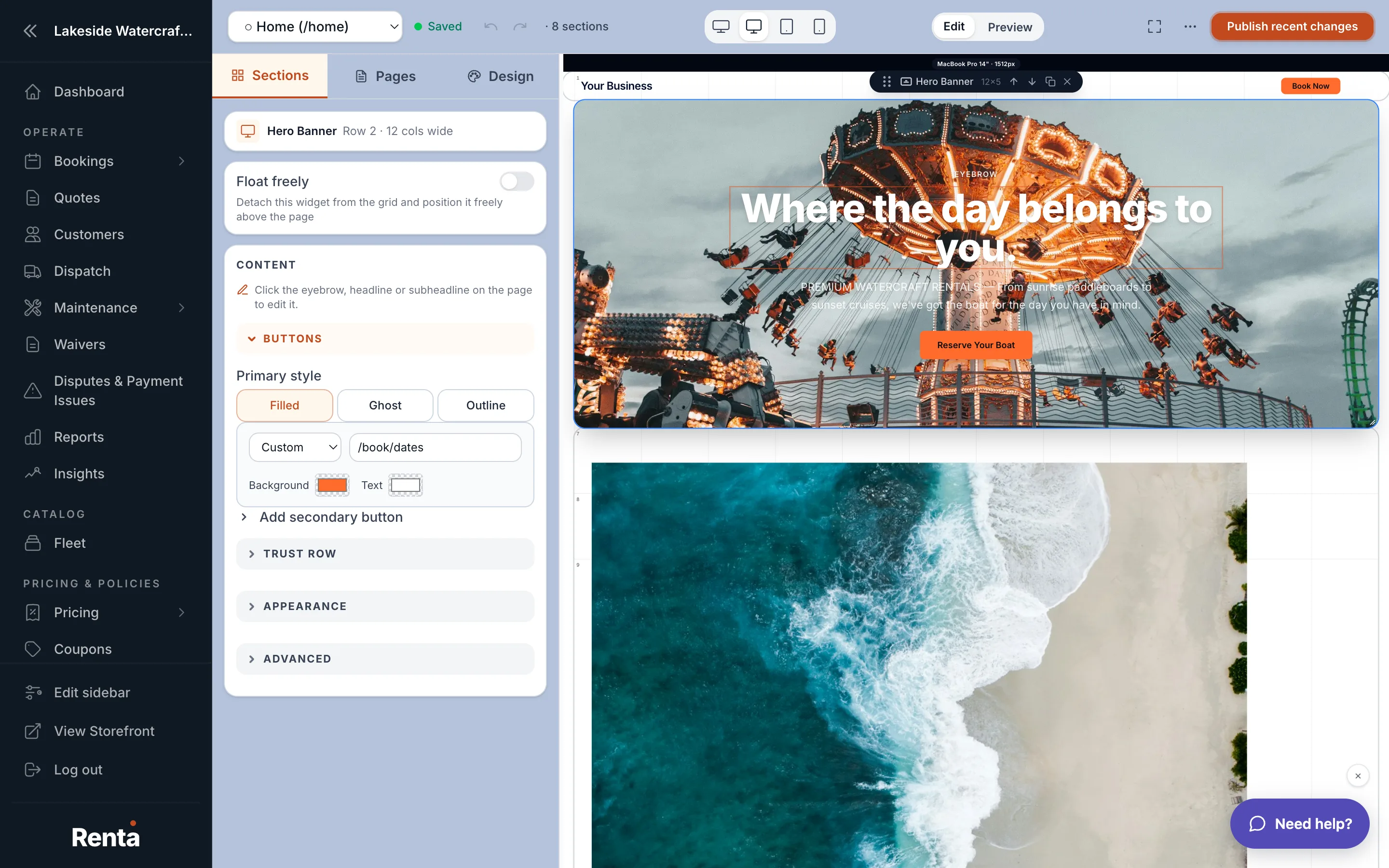 The Hero widget's settings panel with headline, background, and button fields
How it works
- Eyebrow: a short label above the headline (optional).
- Headline and Subheadline: your main title and supporting line.
- Button text and Button link: your call-to-action, e.g. "Book Now" linking to your booking page.
- Second button: an optional second button with its own text, link, and style.
- Background: choose none, an image, or a video. A poster image can show while a video loads.
- Background tint: a single slider that adds a white or black tint over your background so your text stays readable — the middle setting means no tint at all.
- Background opacity: how see-through the background image or video is, from fully visible to fully faded.
- Text alignment and vertical alignment: where the headline block sits on the banner (left/center/right, top/middle/bottom).
- Trust items: small badges under your text, like a star rating, a review count, or a custom badge — up to a handful.
- Parallax: an optional effect where the background moves slightly slower than the page as visitors scroll.
Example
A jet ski rental business might set the headline to "Ride the Lake Today," a background video of jet skis in action, and a button reading "Check Availability" linking to their booking page.
Good to know
- If you set both a background image and a video, the video plays and the image is only used as the poster while it loads.
- The hero spans the full width of the page, ignoring your normal page side margins.
- Colors you don't explicitly set here fall back to your site's theme — see Setting your site-wide colors, fonts and spacing.
Related
Still stuck? Ask the chat.