Choosing which messages go by text vs. email
Route booking confirmations, pre-ride reminders, and waiver nudges to email, text message, or both.
Where to find it
Settings → SMS → Settings tab
You can choose whether each type of customer notification goes out by email, text message (SMS), or both.
Where to find it
Settings → SMS → Settings tab → Notification preferences section.
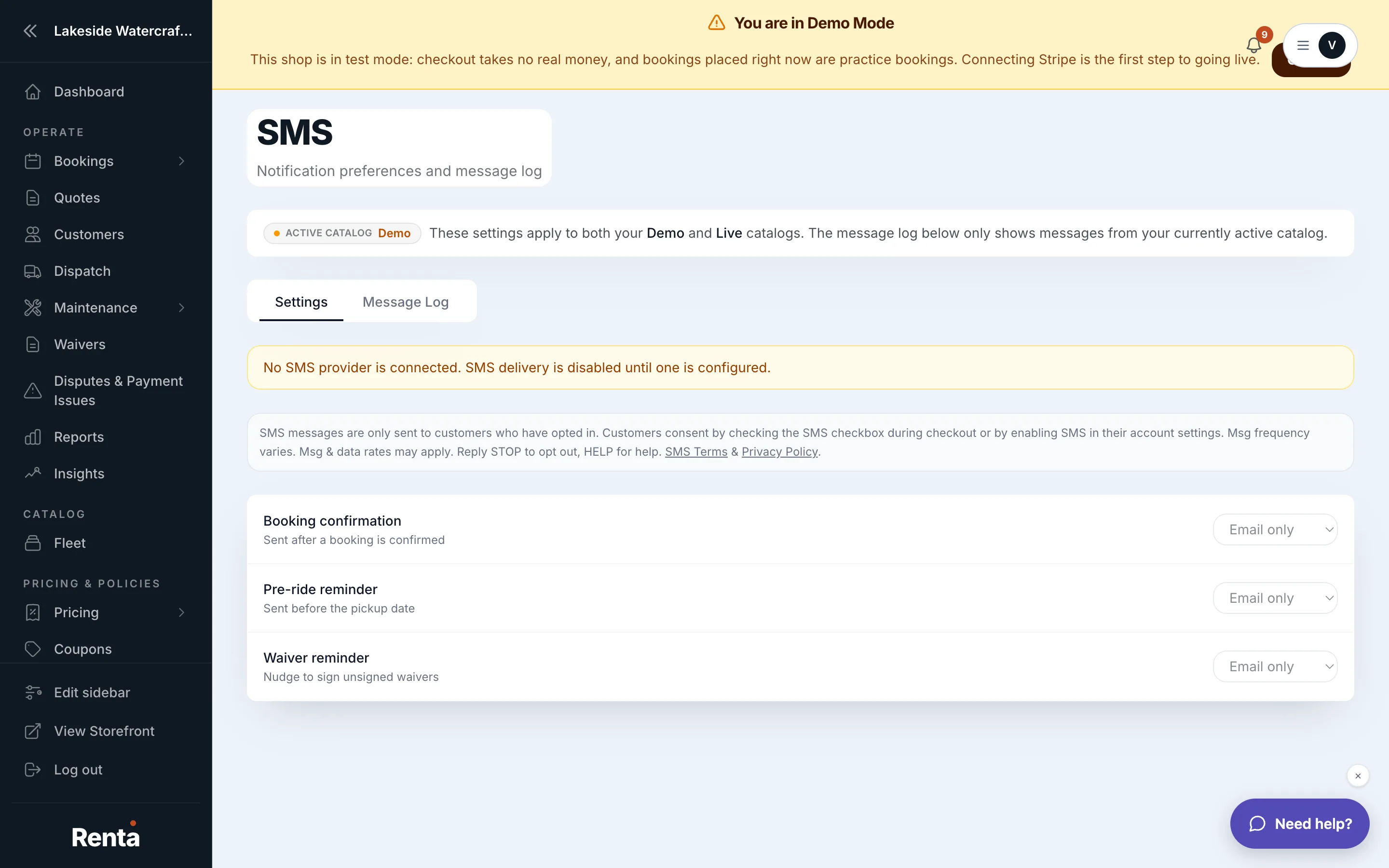 The Notification preferences section with Email/SMS/Both choices per message type
How it works
Each notification type has its own choice of Email only, SMS only, or Both:
- Booking confirmation — sent when a booking is confirmed.
- Pre-ride reminder — sent 1–2 days before the booking's start date.
- Waiver reminder — sent once if a customer's waiver is still unsigned.
Changes save automatically, and you'll see a brief "Saved" confirmation after each change.
Example
If a customer doesn't usually check email but always has their phone, set Booking confirmation delivery to "SMS only" so they're sure to see it.
Good to know
- A banner appears at the top of this page if SMS isn't yet enabled on your account — text messages can't send until that's resolved.
- Every message sent or received is logged and searchable in the Message log.
Related
Still stuck? Ask the chat.