Building your waiver forms
Create and edit the liability waiver text customers sign, and choose which one is used by default.
Where to find it
Waivers → Manage templates
Waiver templates is where you write the actual liability waiver text your customers sign — the legal language, plus any placeholders that fill in details like age limits or fees automatically.
Where to find it
Waivers → Manage templates
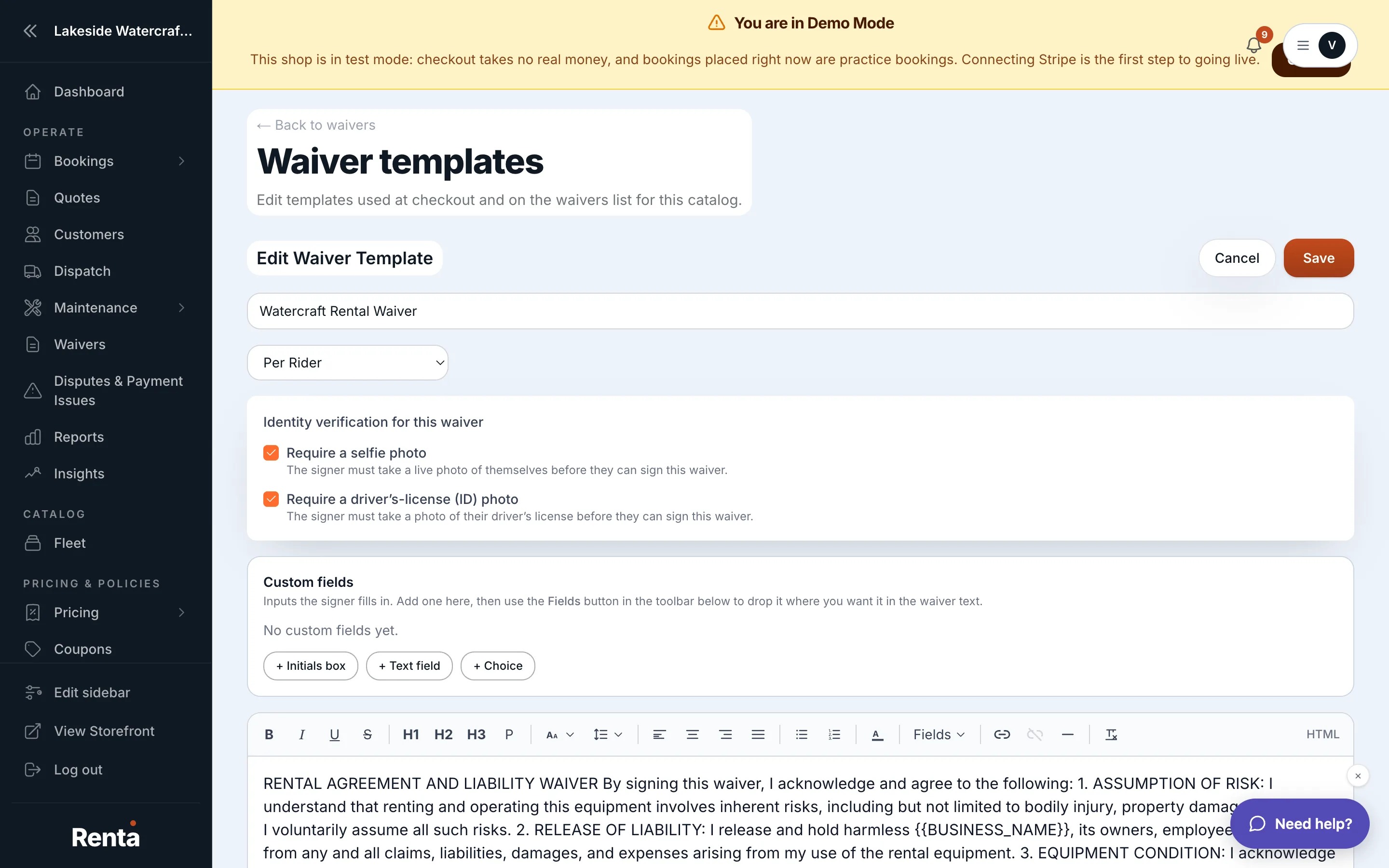 The waiver template editor with name, trigger, and body fields
How it works
- Template card — each template shows its name, trigger, and edit/delete/set-as-default actions.
- Template name — the title of the form.
- Trigger — when it's shown to the customer, such as at checkout or on the waivers list.
- Template body — the actual text customers sign; can include placeholders that pull in your policy defaults.
- Archive — retires an active template so it no longer appears as an option for new bookings, with a confirmation step first.
- Restore — brings an archived template back into use.
- Set as default — marks which template is used automatically for new pickups.
- Create new template — starts a fresh waiver form.
Example
If your dirt bike rental business needs a waiver that mentions helmets specifically, you create a new template, write the clause into the body, and set it as the default so every new booking uses it going forward.
Good to know
- Archived templates stay visible alongside active ones so you can restore them later.
- Demo and Live modes each have their own set of templates and their own default, so a change made in Demo mode won't affect what a real customer signs.
- Placeholders in the body (like a minimum age or a late fee) pull their values from Setting default waiver values — set those first so a template doesn't show a blank.
Related
Still stuck? Ask the chat.