Setting default waiver values (age, fees, deposit language)
Fill-in-the-blank values, like minimum age or late fee, that appear automatically inside every waiver.
Where to find it
Settings → Waivers → Waiver Policy
Your waiver text uses placeholders — like a minimum age or a late fee — so you don't have to retype the same numbers into every waiver template. Waiver Policy is where you set those values once.
Where to find it
Settings → Waivers → Waiver Policy
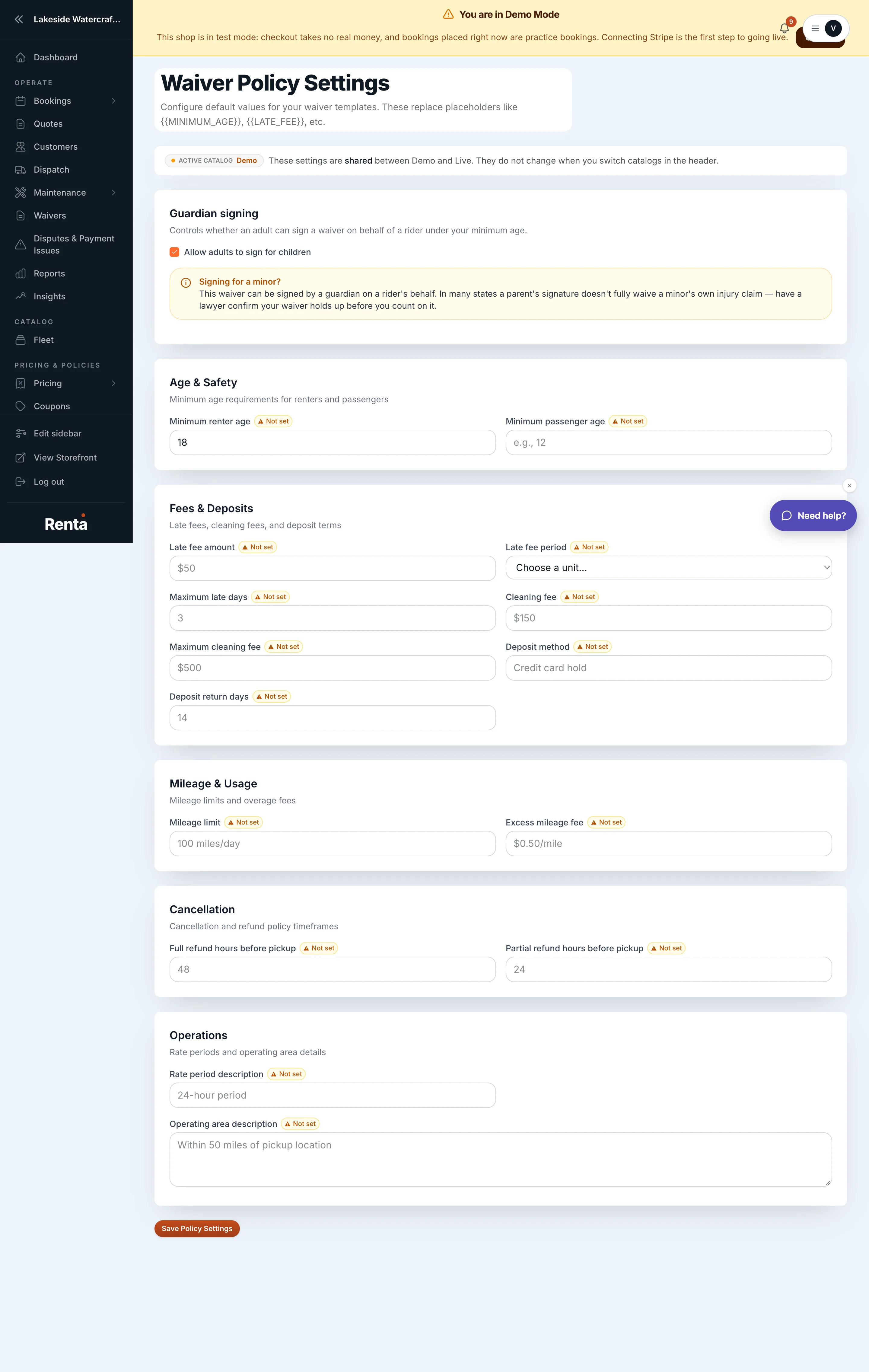 The Waiver Policy page with Age & Safety and Fees & Deposits sections
How it works
Age & Safety:
- Minimum renter age — default 18, any number 0 or higher.
- Minimum passenger age — blank by default; sets a separate minimum for passengers.
Fees & Deposits:
- Late fee amount — free text, e.g. "$50."
- Late fee period — choose Per hour or Per day; this pairs with the late fee amount to read correctly on the signed waiver.
- Maximum late days — the number of days a rental can run late before the daily rate is capped.
- Cleaning fee — free text, e.g. "$150."
- Maximum cleaning fee — a cap on total cleaning fees charged, e.g. "$500."
- Deposit method — free text describing how deposits are handled, e.g. "Credit card hold."
- Deposit return days — how many days after return the deposit is given back, e.g. "14."
Mileage & Usage:
- Mileage limit — free text, e.g. "100 miles/day."
- Excess mileage fee — free text, e.g. "$0.50/mile."
Cancellation:
- Full refund hours before pickup — how many hours before pickup a customer can still cancel for a full refund, e.g. "48."
- Partial refund hours before pickup — how many hours before pickup a customer can still cancel for a partial refund, e.g. "24."
Operations:
- Rate period description — free text describing your rental period, e.g. "24-hour period."
- Operating area description — free text describing where you operate, e.g. "Within 50 miles of pickup location."
Example
If you set Minimum renter age to 21 and Late fee amount to "$25" with a Late fee period of "Per hour," every waiver that uses those placeholders shows "You must be 21 or older to rent" and "$25 per hour" automatically — no need to update each template by hand.
Good to know
These values are business-wide, and they feed directly into the placeholders inside Building your waiver forms — a blank field here shows up as a blank spot on the signed waiver.
Still stuck? Ask the chat.