Automated emails Renta sends for you
Edit the confirmation, reminder, and other emails Renta sends automatically when a booking event happens.
Where to find it
Communications → Email templates
Renta sends certain emails automatically, like a booking confirmation or a pickup reminder. Email templates is where you edit the wording of those messages.
Where to find it
Communications → Email templates
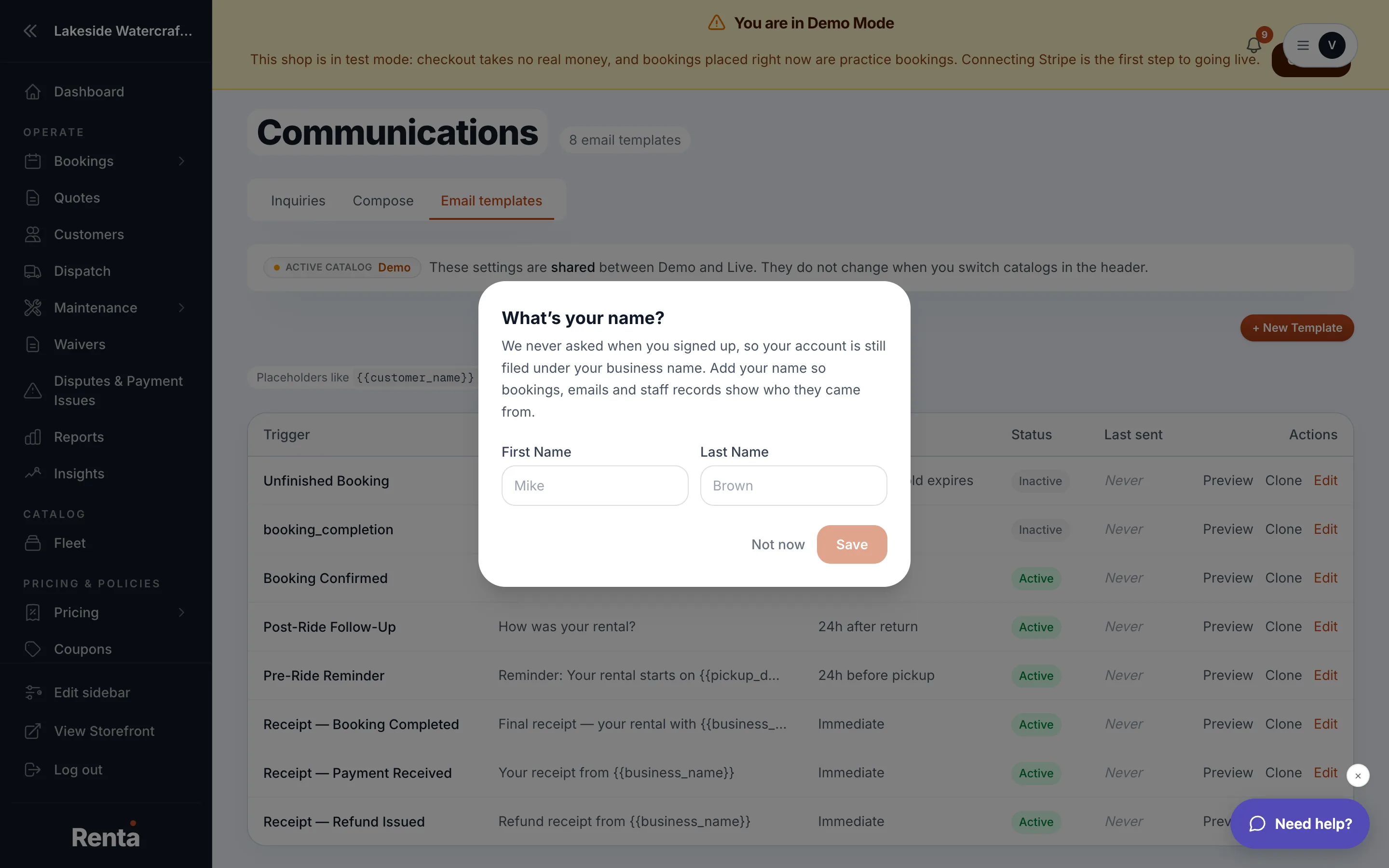 The email template list with trigger, subject, and Active toggle
How it works
- Template list — each row shows its trigger, a subject preview, and a body preview.
- Trigger type — when the email fires, for example at checkout or a set time before pickup.
- Subject — the email's subject line, editable.
- Body — the email's content, editable.
- Active toggle — turns a template on or off. Off means that automated email stops sending.
- Create Template — saves a brand-new template.
- Update Template — saves changes to a template you're already editing.
Example
If your default confirmation email says "See you soon!" but you'd rather it mention your cancellation policy, open that template, edit the body, and save — every future confirmation email uses the new wording.
Good to know
These templates apply across your whole business, not per location. Saving changes requires settings-editing access, so a staff member with view-only access can read templates but not change them.
Still stuck? Ask the chat.