Managing cabin rentals
Set up the cabins your business offers, with nightly rate, max guests, amenities, and photos.
Where to find it
Cabins (left sidebar, if your business type includes cabins)
If your business rents cabins, this page is where you set each one up as a bookable item, the same way you would a fleet item.
Where to find it
Click Cabins in the left sidebar (only shown for businesses set up to offer cabins).
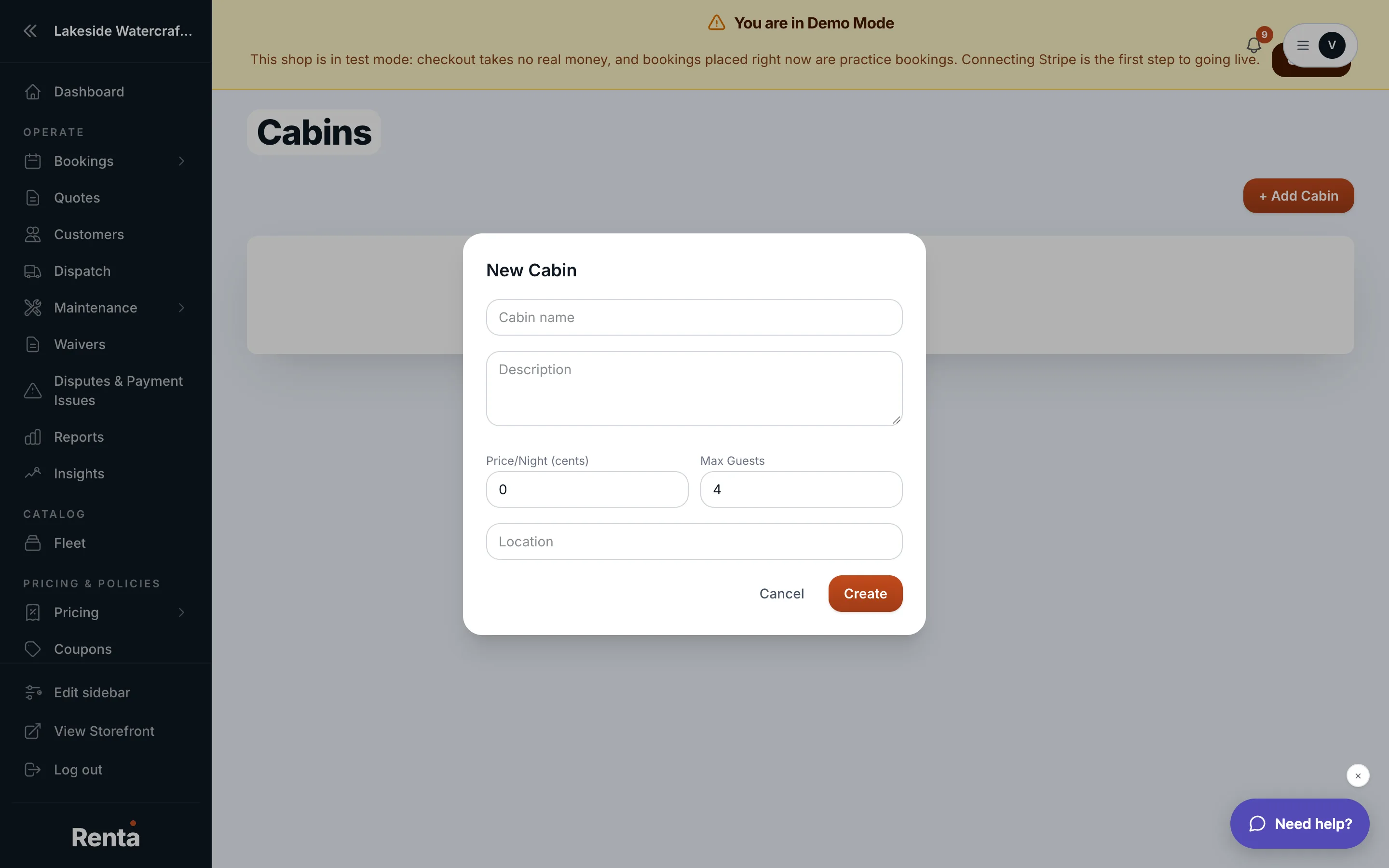 The Cabins page with the New Cabin form
How it works
Each cabin has:
- Name — what the cabin is called.
- Description — shown to customers.
- Location — where it is.
- Price per night — the nightly rate.
- Max guests — how many people can stay.
- Amenities and Photos — details shown on the customer-facing listing.
Click into the page's add/edit form to create or update a cabin.
Example
If you have a lakeside cabin that sleeps 6, set up its nightly rate and max guests here, and it becomes bookable the same way any other rental item does.
Good to know
- Actual reservations for a cabin go through the normal booking tools — this page defines the cabin itself, not its calendar of bookings.
Related
Still stuck? Ask the chat.