Creating discount codes
Percent-off or dollar-off codes customers enter at checkout, with expiration dates and usage limits.
Where to find it
Coupons
A coupon is a code your customers can type in at checkout to get a discount — either a percentage off or a flat dollar amount off.
Where to find it
Coupons in the main menu.
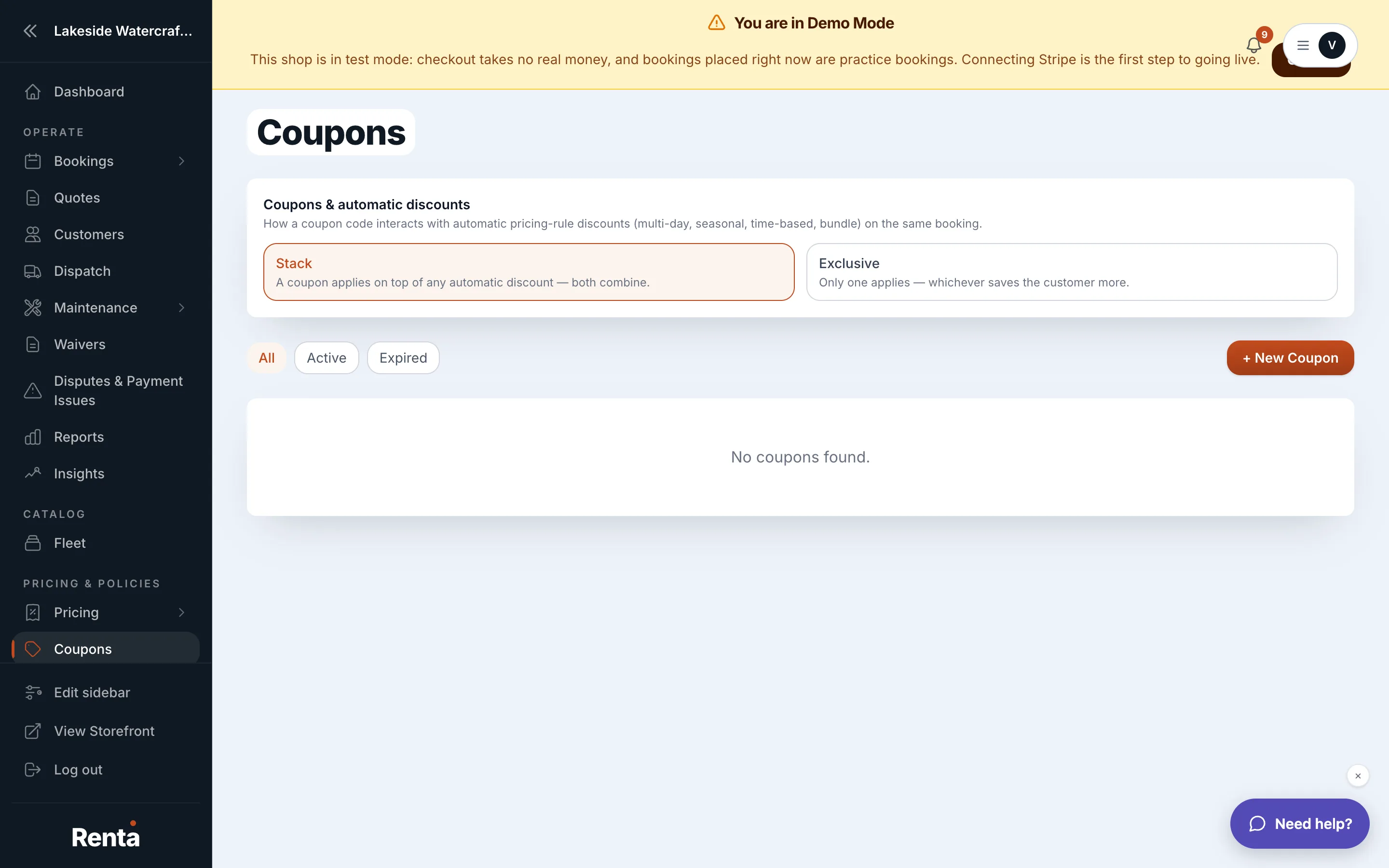 The Coupons table
How it works
The coupon table shows, for each code:
- Code — what the customer types in.
- Type — Percent off or Flat $ off.
- Value — the discount amount.
- Valid from / Valid until — the date range the code can be used.
- Uses — how many times it's been used so far.
- Per-customer cap — the most times a single customer can use this code.
- Status — Active or Expired.
Use + Create coupon to add a new one, Edit to change it, or Delete to remove it (deleting doesn't undo bookings that already used it, it just blocks future ones).
There's also a business-wide coupon stacking mode, set separately from any one coupon:
- Stack (the default) — a coupon's discount combines with any automatic pricing-rule discount already on the booking (seasonal, day-of-week, duration, or bundle). Both apply.
- Exclusive — a coupon and an automatic discount never both apply to the same booking; the customer gets whichever one saves them more.
Example
A $500 booking already qualifies for a $50 automatic multi-day discount. A customer also enters a 10% coupon.
- In Stack mode: both apply — $50 off, then 10% off the remaining $450, for a total discount of $95.
- In Exclusive mode: only the better one applies. The coupon (10% of $500 = $50) ties the automatic discount here, so the customer gets $50 off either way, not both combined.
Good to know
- A coupon is applied to the subtotal after add-ons but before tax — see How a price is calculated.
- Renta's platform fee is calculated after the coupon is applied, so a coupon also lowers the fee slightly. See Renta's 2.5% platform fee.
Still stuck? Ask the chat.