Designing your checkout steps
Build a custom, multi-step checkout with text, questions, waivers, add-ons, and signatures — and control which steps show for which bookings.
Where to find it
Settings → Checkout Flow → Client View tab → Checkout Flow Builder
The checkout flow builder lets you design exactly what a customer sees and does while booking — beyond just paying — by stacking together blocks like text, questions, waivers, and signatures into a custom, multi-step flow.
Where to find it
Settings → Checkout Flow → Client View tab → Checkout Flow Builder section.
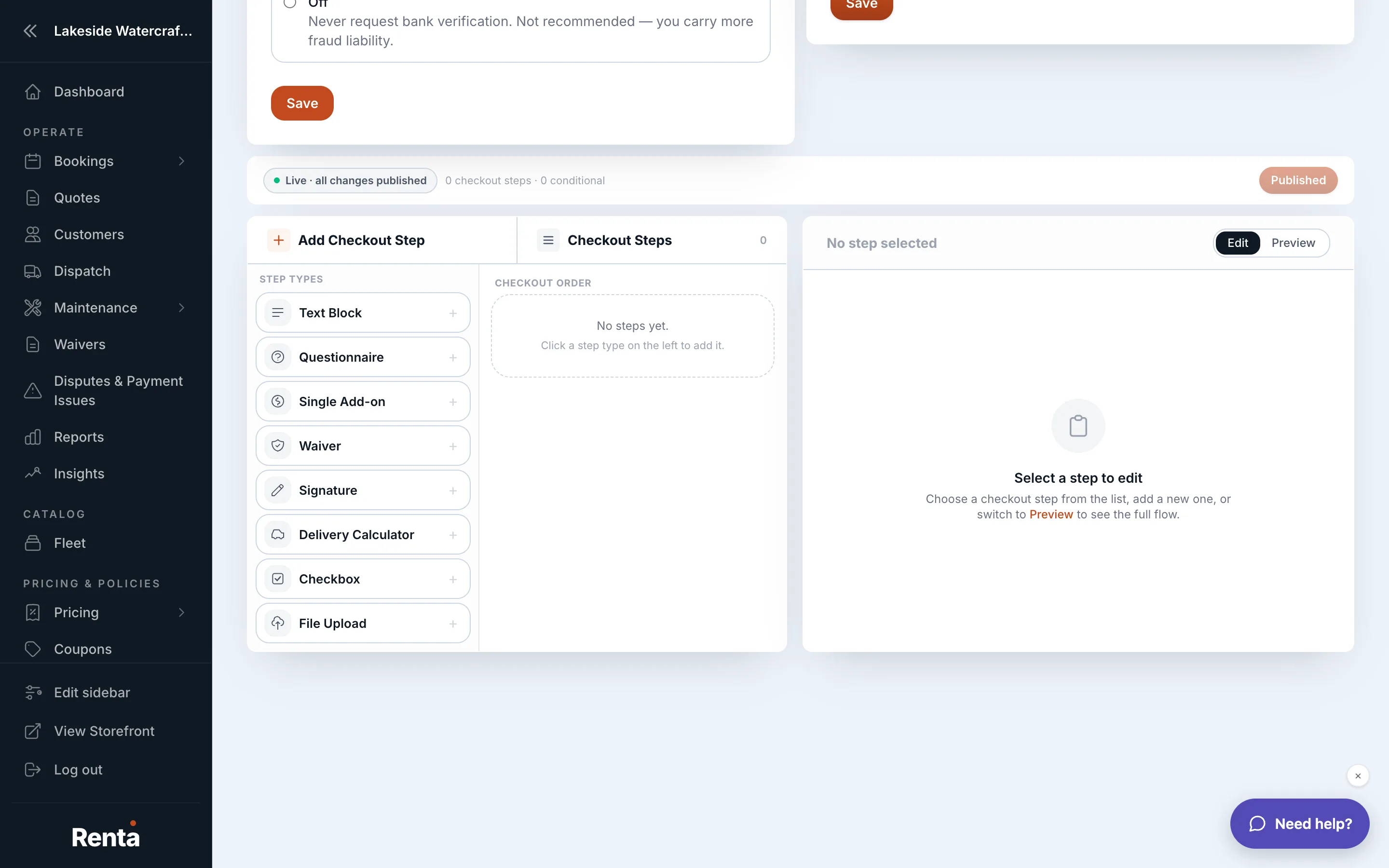 The Checkout Flow Builder, showing a list of blocks
How it works
- Script blocks — add any of these, in any order, to build your flow:
- Text Block — plain informational text (rules, instructions).
- Questionnaire — questions you require the customer to answer.
- Single Add-on — a point in the flow where one specific extra can be selected.
- Waiver — a liability waiver the customer must sign.
- Signature — a standalone signature capture, without full waiver text.
- File Upload — a place for the customer to upload a document (like a license or insurance).
- Checkbox — a simple yes/no acknowledgment.
- Delivery Calculator — lets the customer calculate a delivery fee based on their address.
- Targeting rules — for each block, you can limit when it shows: only for certain fleet categories or items, or only for certain delivery methods. Left alone, a block shows for every booking.
Example
You add a Waiver block that targets only your motorized items, and a Delivery Calculator block that only shows when the customer selects delivery instead of pickup. A customer booking a kayak with pickup never sees either block; a customer booking a jet ski with delivery sees both.
Good to know
- Blocks run in the order you arrange them — customers step through your checkout exactly the way you've laid it out.
- Targeting rules are optional; a block with no targeting rule always shows, for every booking.
- This is separate from Notes your staff see during checkout, which are internal reminders for your team, not something the customer sees.
Still stuck? Ask the chat.